
Best Tools to Grow a One-Person Service Business
Solo contractor? These tools handle leads, scheduling, invoicing, and marketing so you can focus on the work.
Running a one-person service business means you're the technician, the salesperson, the accountant, and the marketing department all at once. The right tools don't just save you time; they let you operate like a company three times your size while keeping your overhead near zero.
If you're a solo plumber, electrician, cleaner, landscaper, or handyman looking for tools to grow your business, this guide covers the seven essential categories you need covered. We've focused on tools that a single person can set up in under an hour and actually use every day. Several now let you start free with no upfront cost.
Recommended Video
Quick Comparison Table
| Tool | Category | Monthly Cost | Setup Time | Best For |
|---|---|---|---|---|
| Nearleap | Lead generation + CRM | Free to start, $99-$499/mo | 15 minutes | Getting and managing customers |
| Jobber | Scheduling/invoicing | $49-$149/mo | 1-2 hours | Job management and billing |
| Square | Payments | 2.6% + $0.10/transaction | 15 minutes | Accepting payments anywhere |
| Google Business Profile | Online visibility | Free | 30 minutes | Local search presence |
| Canva | Marketing materials | Free-$13/mo | 15 minutes | Professional graphics |
| QuickBooks Self-Employed | Accounting | $15/mo | 30 minutes | Tax tracking and expenses |
| Google Calendar + Calendly | Scheduling | Free-$10/mo | 15 minutes | Appointment booking |
#1. Nearleap (Lead Generation + CRM)
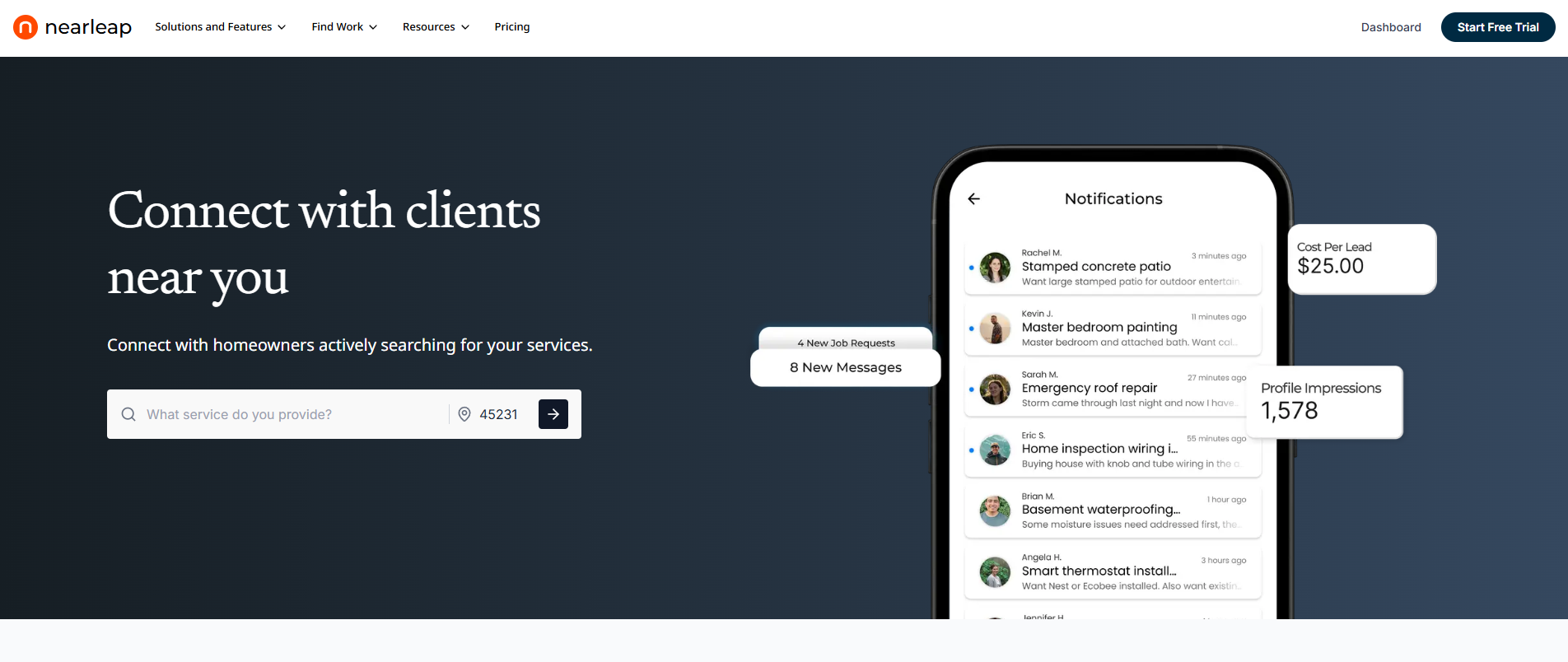
The biggest difference between a one-person service business that stays stuck at $40,000/year and one that grows to $120,000+ is a reliable lead pipeline. Nearleap solves this by combining lead generation and customer management in a single platform built specifically for service businesses. You can create a free profile and preview leads in your area before subscribing. No credit card required.
As a solo operator, you can't afford to spend hours responding to shared leads, writing proposals, and chasing prospects who are talking to five other contractors. Nearleap eliminates this with dedicated, phone-verified leads delivered to you alone.
Why it's essential for solo operators:
- Free to start. Create a profile and preview leads in your market with zero financial commitment. No credit card needed to sign up.
- Leads that are yours alone. Every lead goes to one contractor. No bidding wars, no speed competitions, no wasted time on proposals that go nowhere.
- Built-in CRM that takes zero setup. A kanban-style pipeline tracks every lead from first contact through to completed job. Add notes, set reminders, and manage your sales process without paying for separate CRM software.
- Instant booking page. Get a public booking URL that you can put on your truck, business cards, and social profiles. Customers book consultations directly, even when you're on a job site. Flat booking fees ($10-$20) replace bidding wars.
- Pricing that scales with you. Start free with a profile to preview leads. Move to Pro at $99/mo (10 leads, $20/extra, $20/booking) when you're ready. Business at $249/mo (unlimited leads, $15/booking) as your schedule fills. Enterprise at $499/mo (unlimited leads, $10/booking) is there when you're ready to hire help.
- Lead preferences and filters. Choose which services and areas you cover. If a lead doesn't fit, decline it and it goes to another contractor. You only work leads you actually want.
- Auto-responses (Enterprise tier). Automated messages go out the instant a new lead arrives. For solo operators who can't always answer the phone, this ensures no lead goes cold.
- Client profiles built automatically. As you work leads and complete jobs, Nearleap builds your customer database. This is your asset for future marketing, repeat business, and referrals.
The 7-day free trial requires no credit card. For one-person businesses, Nearleap replaces three separate tools (lead generation, CRM, and booking platform) with a single solution.
Pros:
- Free profile with lead previews before paying
- Unlimited lead plans available for scaling
- Replaces multiple tools with one platform
- Dedicated verified leads save time and increase close rate
- CRM and booking included at no extra cost
- Scales from solo operator to small team
Cons:
- Subscription required for full lead access (free preview available)
- Coverage varies by metro area
- Advanced features locked to higher tiers
#2. Jobber (Scheduling and Invoicing)
Jobber is the operational backbone for thousands of solo service businesses. It handles quoting, scheduling, dispatching, invoicing, and follow-ups in one clean mobile app. When a customer accepts a quote, Jobber converts it to a scheduled job, sends confirmation reminders to the customer, and generates an invoice when the job is marked complete.
Plans start at $49/month for solo operators, which includes client management, basic scheduling, and invoicing. The $149/month plan adds automated follow-ups, online booking, and GPS tracking.
Pros:
- Purpose-built for service businesses
- Mobile app works great in the field
- Automated customer reminders reduce no-shows
- Professional quoting and invoicing templates
- Two-way customer texting
Cons:
- $49/month minimum can feel steep for very new businesses
- Learning curve for all features
- Some advanced features require higher-tier plans
- Limited lead generation capabilities
#3. Square (Payments)
Square lets you accept credit cards, debit cards, and digital wallets anywhere, whether you're at a customer's home, in your van, or sending an invoice after the job. The card reader is free, and transaction fees are a straightforward 2.6% + $0.10 per swipe or tap.
For solo service businesses, Square's invoicing feature is particularly valuable. Send professional invoices by text or email, and customers pay online. You can also set up recurring billing for maintenance contracts. Deposits hit your bank account within 1-2 business days.
Pros:
- No monthly fee, just transaction-based pricing
- Free card reader and point-of-sale app
- Professional invoicing with online payment
- Fast deposits (next business day available for a small fee)
- Hardware options from basic reader to full register
Cons:
- 2.6% + $0.10 per transaction adds up on large jobs
- Limited customization compared to dedicated invoicing tools
- Customer support can be slow
- Account holds occasionally freeze funds
#4. Google Business Profile (Online Visibility)
Your Google Business Profile is the single most important online asset for a one-person service business. It's completely free, and it determines whether you appear when potential customers search "electrician near me" or "plumber in [your city]." Without it, you're invisible in local search.
Setup takes about 30 minutes. Add your services, service area, hours, and photos of your work. The ongoing maintenance is simple: ask every satisfied customer to leave a Google review. Businesses with 20+ reviews and a 4.5+ star rating dominate local search results and Google Maps.
Pros:
- Completely free
- Appears in Google Maps and local search results
- Reviews build credibility and improve rankings
- Posts and updates keep your profile fresh
- Insights show how customers find you
Cons:
- Requires consistent review collection to rank well
- Competitors can suggest edits to your listing
- Google occasionally changes how profiles display
- Takes 2-4 weeks to start appearing in results
#5. Canva (Marketing Materials)
Canva lets you create professional-looking marketing materials without any design skills. Business cards, flyers, social media posts, truck wraps, yard signs, and door hangers can all be designed in minutes using Canva's drag-and-drop templates.
The free plan covers most of what a solo service business needs. Canva Pro at $13/month adds brand kit features (save your colors, fonts, and logo for consistent branding), background removal, and access to premium stock photos.
Pros:
- Free plan covers most business needs
- Thousands of templates for every marketing format
- No design skills required
- Consistent branding across all materials
- Mobile app for quick edits on the go
Cons:
- Templates can look generic if not customized
- Print quality depends on design resolution
- Pro features require paid subscription
- Some learning curve for complex designs
#6. QuickBooks Self-Employed (Accounting)
Tax season is stressful enough without scrambling to find receipts and calculate deductions. QuickBooks Self-Employed automatically tracks income and expenses, categorizes transactions, and estimates quarterly tax payments. At $15/month, it's the most affordable way to keep your finances organized.
Connect your bank account and credit cards, and QuickBooks categorizes most transactions automatically. Snap photos of receipts with the mobile app. At tax time, export everything to TurboTax or hand organized records to your accountant.
Pros:
- Automatic expense tracking and categorization
- Quarterly tax estimation for self-employed
- Receipt capture with mobile camera
- Mileage tracking for deductions
- TurboTax integration for seamless tax filing
Cons:
- Limited to self-employed and freelancer features
- Upgrading to QuickBooks Online costs significantly more
- Some transaction categorization requires manual correction
- No payroll features if you hire help
#7. Google Calendar + Calendly (Appointment Booking)
Managing your schedule as a solo operator means juggling customer appointments, travel time, personal commitments, and buffer time between jobs. Google Calendar is free and syncs across all your devices. Pair it with Calendly (free for one event type, $10/month for more) to let customers book directly into your available time slots.
Share your Calendly link on your website, Google Business Profile, social media, and even your voicemail greeting. Customers see your real-time availability and book without the back-and-forth of phone tag. Calendly automatically adds the appointment to your Google Calendar and sends confirmation and reminder emails.
Pros:
- Google Calendar is completely free
- Calendly eliminates scheduling back-and-forth
- Automatic reminders reduce no-shows
- Syncs across phone, tablet, and computer
- Calendly free plan covers basic needs
Cons:
- Calendly free plan limited to one event type
- No built-in job management or invoicing
- Requires sharing a booking link (not intuitive for all customers)
- Google Calendar doesn't account for travel time automatically
How We Ranked These
We selected tools based on five criteria specific to one-person service businesses: affordability (under $100/month ideally), setup time (under 1 hour), daily usability for non-technical users, mobile functionality (since solo operators live on their phones), and how effectively each tool replaces a task you'd otherwise do manually. Free entry points scored a bonus.
Every tool on this list is something a single person can adopt and maintain without hiring help. We intentionally excluded tools that require teams, dedicated administrators, or extensive training to use effectively.
Pricing and features are current as of March 2026.
Frequently Asked Questions
What's the minimum tech stack for a one-person service business?
At minimum, you need three things: a way to get leads (Nearleap with a free profile, or Google Business Profile), a way to get paid (Square or PayPal), and a way to track money (QuickBooks Self-Employed or even a spreadsheet). These three tools cost under $115/month total and cover the essentials. Add scheduling and invoicing software like Jobber when you're consistently booking 3+ jobs per week.
How much should a solo service business spend on tools?
Keep your total tool spending under 5% of monthly revenue. If you're earning $6,000/month, that's $300/month for all software combined. Prioritize lead generation (since revenue depends on it) and payment processing (since you need to get paid). Free tools like Nearleap's free profile, Google Business Profile, Google Calendar, and Canva's free plan stretch your budget further.
Can I run a service business with just free tools?
Yes, but growth will be slower. Nearleap's free profile (lead previews), Google Business Profile (visibility), Google Calendar (scheduling), Wave (free accounting), Canva free (marketing), and Cash/Venmo (payments) give you a complete zero-cost stack. The limitation is lead generation; without a paid platform, you're relying on organic discovery and word of mouth, which takes 6-12 months to build momentum. If you want to test a platform with zero risk, Nearleap lets you create a free profile and preview leads in your area before committing to a subscription.
When should I upgrade from free tools to paid ones?
Upgrade when a free tool is costing you time that could be spent on billable work. If you're spending 30 minutes per day on manual invoicing that Jobber could automate, and your billable rate is $75/hour, you're losing $37.50/day, or about $800/month, in productivity. The $49/month Jobber subscription pays for itself many times over. Apply this logic to every tool decision. Nearleap's unlimited lead plans ($249/mo and $499/mo) make the most sense when your schedule is ready for consistent volume.
Related reading: