
Best Apps Every Contractor Needs in 2026
The essential apps for running a contracting business. Lead generation, scheduling, invoicing, and communication tools ranked.
The most successful contractors in 2026 run their businesses from their phones. Between job sites, client meetings, and supply runs, there's rarely time to sit at a desk. The right apps let you manage leads, schedule jobs, send invoices, track expenses, and communicate with clients, all from your pocket.
This guide covers the essential apps every contractor should have installed, organized by function. Several platforms now offer free entry points so you can test them with no commitment.
Recommended Video
Quick Comparison Table
| Category | App | Pricing | Key Feature | Rating |
|---|---|---|---|---|
| Lead Gen + CRM | Nearleap | Free to start, $99-$499/mo | Dedicated leads + pipeline | 4.8/5 |
| Job Management | Jobber | $49-$249/mo | Complete job lifecycle | 4.5/5 |
| Accounting | QuickBooks | $30-$200/mo | Financial management | 4.4/5 |
| Communication | Google Voice | Free-$10/mo | Business phone number | 4.3/5 |
| Estimates | CompanyCam | $19+/mo | Photo documentation | 4.2/5 |
| Payments | Square | Free + per-txn | Mobile card reader | 4.5/5 |
| Marketing | Google Business | Free | Local search presence | 4.6/5 |
#1. Nearleap (Lead Generation + CRM)
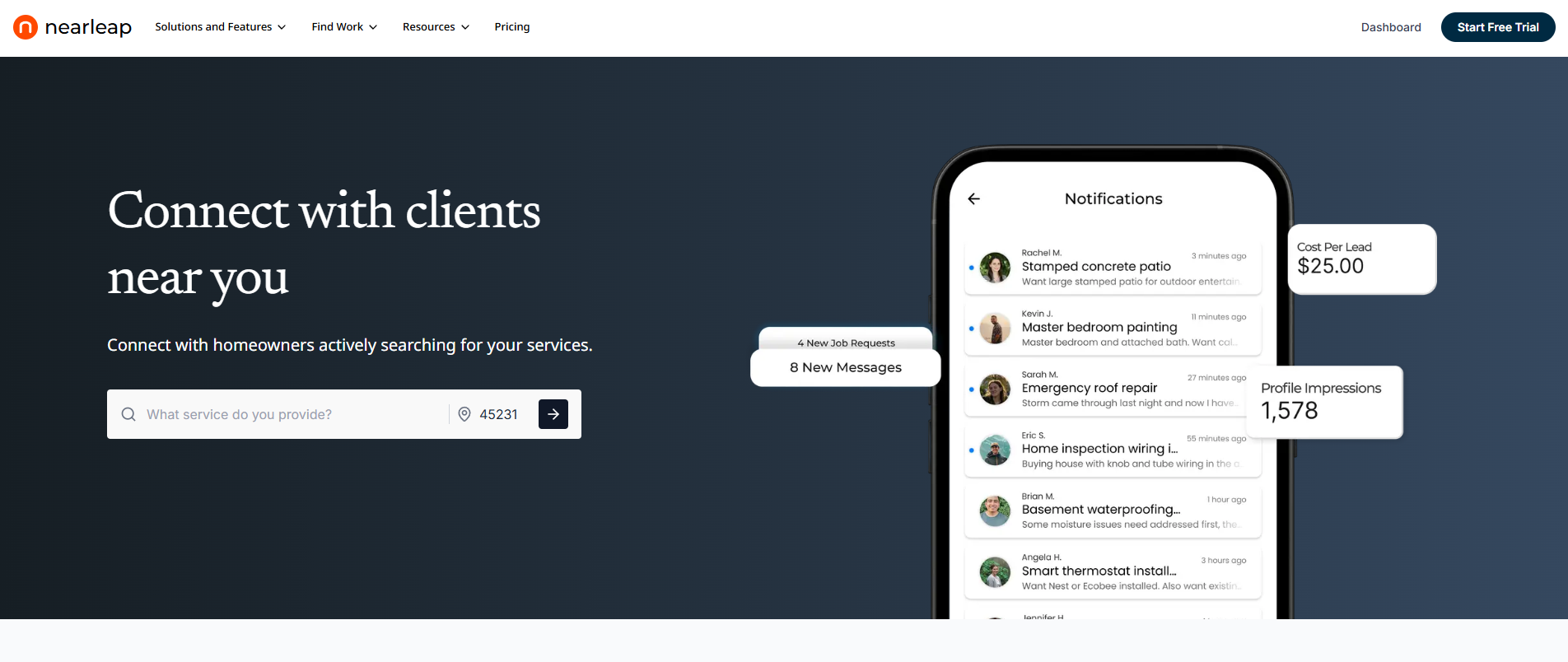
No app matters more to a contractor than the one that brings in new customers. Nearleap combines dedicated lead generation with a CRM pipeline that tracks every opportunity from first contact through job completion. You can create a free profile and preview leads in your area before subscribing. No credit card required.
The app delivers dedicated leads directly to your phone. Each lead goes to one contractor only, so there's no race to respond against competitors. The built-in CRM uses kanban pipeline stages (new, contacted, estimate sent, accepted, in-progress, completed) to keep your entire sales process organized.
Three tiers match your business size:
- Pro ($99/mo): 5 dedicated leads, $20 per additional lead, $20 per booking. CRM pipeline, instant booking page, client profiles.
- Business ($249/mo): Unlimited leads with zero per-lead charges, $15 per booking. Verified badge, full pipeline management.
- Enterprise ($499/mo): Unlimited leads with zero per-lead charges, $10 per booking. Auto-responses, complete client management.
The instant booking feature gives you a shareable booking page where homeowners schedule directly. Flat booking fees ($10-$20) replace bidding wars. Enterprise auto-responses engage leads within seconds. Every lead is phone-verified through Twilio. Lead preferences filter by service type and geography. Declined leads become opportunities for other pros.
The 7-day free trial lets you test lead quality and app functionality risk-free. Or start with a free profile to preview leads first.
Why contractors need it: Without consistent new leads, nothing else matters. Nearleap is the only app that generates dedicated leads AND manages them in a CRM, replacing two separate subscriptions. Start free and upgrade when ready.
#2. Jobber (Job Management)
Jobber is the most popular job management app for contractors because it covers the complete workflow: scheduling, dispatching, quoting, invoicing, and payment processing. The mobile app is excellent for field use, giving technicians everything they need on-site.
Pricing starts at $49/mo (Lite), $129/mo (Core), and $249/mo (Connect). The client portal feature lets homeowners approve quotes, view job status, and pay invoices online.
Pros:
- Complete job lifecycle in one app
- Professional quoting with online approval
- Scheduling and dispatching for teams
- Client portal with self-service payments
- Strong integration ecosystem
Cons:
- No lead generation features
- Full functionality requires Core plan ($129/mo)
- Learning curve for initial setup
- Some features are desktop-only
Why contractors need it: The operational backbone for any contractor with employees. Handles everything from scheduling the job through collecting payment.
#3. QuickBooks (Accounting)
QuickBooks remains the standard accounting app for contractors. It tracks income, expenses, invoicing, and tax preparation in one platform. The mobile app lets you photograph receipts, categorize expenses, and send invoices from the job site.
Pricing ranges from $30/mo (Simple Start) to $200/mo (Advanced). The Self-Employed plan at $15/mo works for solo contractors. QuickBooks integrates with most contractor tools including Jobber and Housecall Pro.
Pros:
- Industry-standard accounting for contractors
- Receipt scanning from your phone
- Mileage tracking (crucial for tax deductions)
- Integrates with contractor-specific platforms
- Makes tax preparation straightforward
Cons:
- Can be overwhelming for simple bookkeeping needs
- Pricing has increased significantly
- Customer support quality varies
- Some features require higher-tier plans
Why contractors need it: Proper financial tracking is non-negotiable. Without it, you're leaving tax deductions on the table and can't make data-driven business decisions about profitability.
#4. Google Business Profile (Marketing)
Your Google Business Profile is the most important free marketing tool available to contractors. It determines whether you appear in local search results, Google Maps, and the local pack when homeowners search for your services.
The app lets you respond to reviews, post updates, add photos, and track how many people find your business through Google. Keeping your profile active and updated directly impacts your visibility in local search.
Pros:
- Completely free
- Directly impacts local search visibility
- Review management from your phone
- Post updates and offers to your profile
- Analytics show how customers find you
Cons:
- Requires consistent attention to maintain
- Negative reviews are publicly visible
- Google's algorithms can change visibility unexpectedly
- Limited customization of your profile
Why contractors need it: 90% of homeowners use Google to find local service providers. If your Google Business Profile isn't optimized and active, you're invisible to most potential customers.
#5. CompanyCam (Photo Documentation)
CompanyCam is designed specifically for contractors to document jobs with photos, organized by project and location. Photos are automatically GPS-tagged and timestamped, creating a professional record of before, during, and after conditions.
Pricing starts at $19/mo per user. The app also supports creating professional reports, proposals, and before/after comparisons from your photo library.
Pros:
- Photos automatically organized by job and location
- GPS and timestamp on every photo
- Before/after comparison generation
- Professional reports from photo documentation
- Team photo sharing across jobs
Cons:
- Per-user pricing adds up for larger teams
- Primarily useful for visual documentation trades
- Storage limits on lower plans
- Learning curve for advanced features
Why contractors need it: Photo documentation protects you legally, helps with insurance claims, creates marketing content, and provides proof of work quality that builds trust with future clients.
#6. Square (Payments)
Square lets contractors accept credit card payments on-site using a mobile card reader or through invoicing with online payment links. The basic card reader is free, and transaction fees are 2.6% + $0.10 per tap or swipe.
The Square Invoices feature sends professional invoices with online payment options, reducing the time between job completion and getting paid.
Pros:
- Free card reader for in-person payments
- Professional invoicing with online payment
- No monthly fees (just transaction fees)
- Deposit and partial payment options
- Next-day fund deposits
Cons:
- Transaction fees cut into margins on large jobs
- Limited features compared to contractor-specific platforms
- Customer disputes can be challenging to resolve
- Not a complete business management solution
Why contractors need it: Getting paid faster improves cash flow. Homeowners increasingly expect card payment options, and contractors who offer them close more jobs than those who are cash or check only.
#7. Google Voice (Communication)
Google Voice provides a free separate business phone number that forwards to your personal phone. This keeps your personal number private while ensuring you never miss a business call. Voicemails are transcribed and delivered to your email.
The free tier covers most solo contractor needs. The $10/mo business plan adds multi-user support and integration with Google Workspace.
Pros:
- Free business phone number
- Voicemail transcription delivered to email
- Call forwarding to any phone
- Text messaging from your business number
- Separates personal and business communication
Cons:
- Call quality can vary on free tier
- Limited features compared to dedicated business phone systems
- No call recording on free plan
- Occasional spam call issues
Why contractors need it: A professional business phone number separates your work from personal life and makes your business appear more established. Voicemail transcription means you can read messages instead of listening to them between jobs.
How We Ranked These
We evaluated contractor apps based on criteria that reflect how contractors actually work.
Mobile functionality was weighted highest because contractors spend 90%+ of their time away from a desk. Apps that provide full functionality on a smartphone scored best.
Business impact assessed how directly each app contributes to revenue generation, cost savings, or professional image. Lead generation and financial management scored highest.
Ease of use measured how quickly a busy contractor can start using the app productively. Complex setup processes scored lower. Free entry points scored a bonus.
Integration considered how well each app works alongside the others on this list. Seamless data flow between apps scored highest.
Cost efficiency evaluated pricing relative to the value delivered, particularly for solo operators and small teams.
Frequently Asked Questions
What apps does every contractor need?
At minimum: a lead generation app (Nearleap, free to start), a job/project management app (Jobber), an accounting app (QuickBooks), and an active Google Business Profile. These four cover the essential business functions: finding customers, managing work, tracking finances, and maintaining visibility. Add payment processing (Square) and photo documentation (CompanyCam) as your business grows.
What is the best all-in-one app for contractors?
No single app does everything well. The closest options are Jobber (operations) and Nearleap (leads + CRM, free to start), which together cover most contractor needs. ServiceTitan attempts to be all-in-one but is expensive ($250+/mo) and designed for larger operations. Most successful contractors use 3-5 specialized apps that integrate with each other.
How much should a contractor spend on apps and software?
Budget 2-5% of revenue for software tools. A solo contractor earning $100,000/year should expect to spend $200-$400/mo on essential apps. This typically breaks down to: lead generation ($99-$249/mo, free to start), job management ($49-$129/mo), accounting ($30-$60/mo), and miscellaneous tools ($20-$50/mo). The ROI should be clear: these tools generate more revenue and save more time than they cost.
Do I need separate apps for lead generation and CRM?
Not necessarily. Nearleap combines dedicated lead generation with CRM pipeline management in one platform (free to start), which saves money and reduces complexity. If you already have a strong lead source (referrals, Google LSA), a standalone CRM like Jobber may be sufficient. But if you need both new leads and better lead management, a combined solution is more efficient.
Related reading: