
Best Online Booking Tools for Service Businesses
Let clients book you online 24/7. Compare the top scheduling and booking platforms for home service professionals.
Homeowners expect to book services online the same way they book restaurants and doctor appointments. If your plumbing, cleaning, or HVAC business still relies on phone calls and voicemail for scheduling, you're losing jobs to competitors who let customers book in two clicks.
Online booking tools eliminate phone tag, reduce no-shows, and let customers schedule at midnight when they finally get around to it. This guide compares the best options for service businesses in 2026, including platforms that bundle booking with free lead generation.
Quick Comparison Table
| Platform | Best For | Pricing | Lead Gen | Service-Specific | Rating |
|---|---|---|---|---|---|
| Nearleap | Booking + free lead gen combined | Free to start, $99-$499/mo | Yes (dedicated) | Yes | 4.8/5 |
| Calendly | Simple appointment scheduling | Free-$15/mo | No | No | 4.5/5 |
| Square Appointments | Booking + payments | Free-$29/mo | No | No | 4.4/5 |
| Housecall Pro | Full service operations | $65+/mo | Limited | Yes | 4.3/5 |
| Setmore | Budget online booking | Free-$5/user/mo | No | No | 4.1/5 |
| Jobber | Field service booking | $49-$249/mo | No | Yes | 4.4/5 |
#1. Nearleap
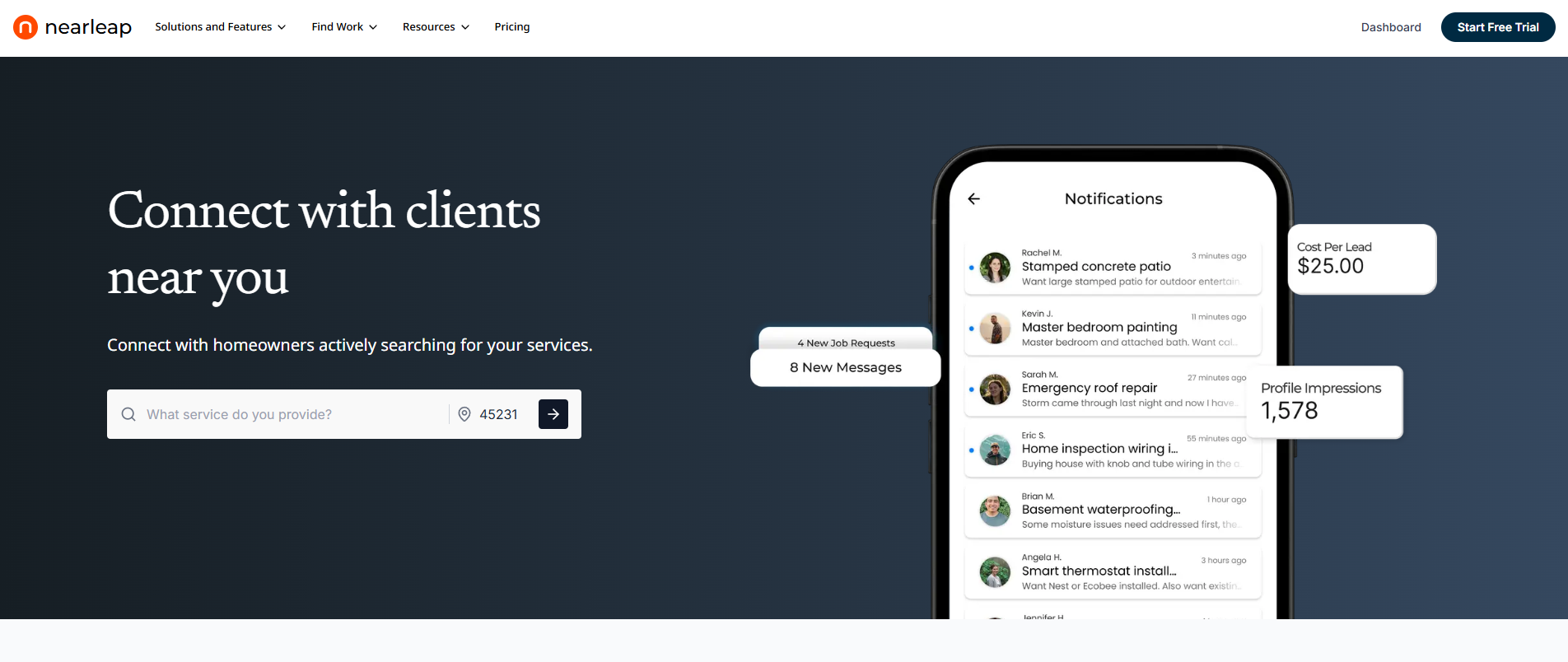
Nearleap's instant booking feature stands apart from generic scheduling tools because it's designed specifically for service businesses and integrates directly with dedicated lead generation. Every plan includes instant booking with a public booking page, and flat booking fees ($10-$20) replace bidding wars.
When you sign up for Nearleap (free to create a profile), you get a public booking page (like nearleap.com/book/your-company) that you can share on your website, social media, Google Business Profile, business cards, and van wraps. Homeowners visit the page, see your available times, and book directly onto your calendar.
What makes this different from Calendly or Square is the lead generation integration:
- Pro ($99/mo): 5 dedicated leads + instant booking page + $20 per booking. Leads arrive in your pipeline and can book directly.
- Business ($249/mo): Unlimited leads + booking page + $15 per booking + verified badge. The verified badge on your booking page increases homeowner confidence.
- Enterprise ($499/mo): Unlimited leads + booking page + $10 per booking + auto-responses. When a lead books, they automatically receive a confirmation with your details.
The booking page feeds directly into Nearleap's CRM pipeline, so every booking automatically becomes a tracked lead with full client profile. Enterprise auto-responses send immediate confirmation, setting professional expectations before you even pick up the phone.
For service businesses, the booking page solves the midnight problem. A homeowner notices a dripping faucet at 11 PM, Googles plumbers, finds your booking page, and schedules for tomorrow morning. Without online booking, that lead goes to whoever answers their call the next day.
The CRM pipeline tracks bookings alongside other leads on a kanban board. Client management profiles build over time, so repeat customers have their full history visible. Every lead through the system is phone-verified via Twilio.
Pros:
- Free profile to get started, booking page included on all plans
- Booking page + lead generation in one platform
- Flat booking fees replace bidding wars
- Automatic CRM pipeline integration
- Professional booking experience for homeowners
- Enterprise auto-responses for instant confirmation
- Shareable link works anywhere (website, cards, social)
Cons:
- Subscription required for full lead access (free preview available)
- No native payment processing (pairs with separate invoicing)
- Calendar features are more basic than dedicated scheduling tools
Best for: Service businesses that want online booking combined with lead generation. Start free and upgrade when ready. Particularly valuable if you're currently paying for a booking tool AND a lead service separately.
#2. Calendly
Calendly is the most widely used scheduling tool, and it works well for service businesses that need simple appointment booking. The free tier handles basic scheduling, while paid plans ($10-$15/mo) add team scheduling, custom branding, and integrations.
Calendly's strength is its simplicity. You set your availability, share a link, and customers book from your open slots. It integrates with Google Calendar, Outlook, and Zoom.
Pros:
- Free tier covers basic scheduling needs
- Extremely easy to set up (under 10 minutes)
- Strong calendar integrations (Google, Outlook, iCal)
- Professional appearance with custom branding on paid plans
- Automated email reminders reduce no-shows
Cons:
- Not designed for service businesses specifically
- No lead generation, CRM, or job tracking
- No service-specific features (estimating, invoicing, dispatch)
- Free tier is limited (one event type only)
Best for: Solo service providers who need simple, professional scheduling without industry-specific features. Best for consultation-type bookings rather than on-site service scheduling.
#3. Square Appointments
Square Appointments combines online booking with Square's payment processing, making it ideal for service businesses that want customers to book and pay in one flow. The free plan covers individual users, while the Plus plan at $29/mo adds team management.
The built-in payment processing means customers can prepay or leave deposits at booking time, reducing no-shows and last-minute cancellations.
Pros:
- Free for individuals with full booking functionality
- Integrated payment processing (prepay, deposits)
- Clean, professional booking page
- Automated reminders via text and email
- No-show protection through prepayment
Cons:
- Not designed specifically for field service businesses
- Limited dispatching and routing capabilities
- Transaction fees apply on payments (2.6% + $0.10)
- Team features require paid plan
Best for: Service businesses that want to combine booking and payment in one platform. Particularly strong for businesses where prepayment or deposits reduce no-show rates significantly.
#4. Housecall Pro
Housecall Pro includes online booking as part of its comprehensive field service management platform. The booking widget embeds on your website and allows homeowners to request appointments for specific services.
Starting at approximately $65/mo, Housecall Pro goes beyond simple booking to include dispatching, estimates, invoicing, and marketing automation. The booking is just one piece of a complete operational platform.
Pros:
- Online booking integrated with full operations management
- Service-specific booking (customers select service type)
- Automated follow-ups and review requests after completion
- GPS dispatching for field teams
- Professional customer experience from booking through payment
Cons:
- More expensive than standalone booking tools
- Significant features may go unused if you only need booking
- Learning curve to configure the full platform
- Pricing scales up with team size
Best for: Service businesses with 3+ team members that need booking as part of a complete operations system. Best when you'll actually use the scheduling, dispatching, and invoicing features alongside booking.
#5. Setmore
Setmore offers a free online booking page with calendar integration, automated reminders, and a clean customer-facing interface. The Premium plan at $5/user/mo adds payment processing and additional customization.
The platform is straightforward and accessible, making it a good entry point for service businesses that have never offered online booking before.
Pros:
- Generous free tier with essential booking features
- Very affordable paid plans ($5/user/mo)
- Simple setup and intuitive interface
- Automated email and SMS reminders
- Social media booking integration (book via Facebook and Instagram)
Cons:
- Not designed for service industry specifics
- Limited features beyond basic scheduling
- No CRM, dispatching, or job management
- Smaller ecosystem of integrations than Calendly
Best for: Service businesses on tight budgets that want professional online booking at minimal cost. Good starting point before upgrading to an industry-specific platform as the business grows.
#6. Jobber
Jobber's online booking feature is part of its broader field service management platform. Customers can request jobs through an embedded booking form that feeds into Jobber's scheduling and dispatching system.
Starting at $49/mo, Jobber handles the complete workflow from booking through quoting, scheduling, completion, and invoicing. The booking feature is integrated with the rest of the operational platform.
Pros:
- Booking integrated with complete job lifecycle
- Automated quote generation from booking requests
- Client portal for self-service booking and payment
- Team scheduling and dispatching from booked jobs
- Professional customer experience
Cons:
- More expensive than standalone booking tools
- Requires $129/mo Core plan for full online booking features
- Not ideal if you only need basic scheduling
- Setup time for configuring service types and workflows
Best for: Service businesses already using or considering Jobber for operations management. The booking feature adds the most value when connected to Jobber's scheduling, quoting, and invoicing workflow.
How We Ranked These
We evaluated booking tools based on criteria specific to service businesses rather than general appointment scheduling.
Service business fit assessed whether the tool handles service-specific booking needs like service type selection, geographic area confirmation, and job description collection. Generic appointment tools scored lower than purpose-built platforms.
Lead conversion impact measured how effectively the booking tool converts website visitors into booked appointments. Tools with auto-reminders, deposits, and instant confirmation scored higher. Platforms with free entry points scored a bonus.
Integration depth evaluated how the booking tool connects with other business systems (CRM, invoicing, calendar, lead sources). Standalone tools scored lower than integrated platforms.
Customer experience assessed the booking process from the homeowner's perspective. Simple, mobile-friendly, and professional interfaces scored highest.
Total cost considered the booking tool cost plus any additional tools needed for a complete business solution.
Frequently Asked Questions
What is the best online booking tool for service businesses?
For service businesses that also need lead generation, Nearleap combines booking with dedicated leads and a free profile to start. Plans range from $99-$499/mo with flat booking fees. For simple standalone booking, Calendly (free-$15/mo) is the easiest to set up. Square Appointments is best when you want integrated payment processing. The right choice depends on whether you need just booking or a complete business platform.
Should I offer online booking for my service business?
Yes. Studies show that 67% of consumers prefer online booking over phone calls. For service businesses, online booking captures leads 24/7 (including evenings and weekends when most homeowners research services), reduces phone tag, and decreases no-show rates through automated reminders. It's a competitive advantage that's becoming a baseline expectation.
How much do online booking tools cost?
Standalone booking tools range from free (Setmore, Square free tier, Calendly free) to $15-$30/mo for premium features. Service-specific platforms that include booking as part of operations management cost $49-$499/mo. Nearleap includes booking with lead generation for a free profile plus $99-$499/mo plans. Most service businesses should budget $0-$100/mo for booking functionality.
Do booking tools reduce no-shows?
Yes, significantly. Automated email and SMS reminders typically reduce no-show rates by 30-50%. Platforms that accept prepayment or deposits at booking time see even lower no-show rates. For service businesses where a missed appointment means lost revenue and wasted drive time, this reduction alone can justify the tool's cost.
Related reading: