
Best Client Management Apps for Home Services
Track clients, communication history, and job details in one place. The top client management apps for service pros compared.
Repeat customers are the most profitable segment of any home service business. They trust you, they don't price-shop, and they refer friends. But without a system to track client history, schedule follow-ups, and nurture relationships, repeat business happens by accident rather than by design.
Client management apps help home service businesses build lasting customer relationships, track service history, and create the kind of professional experience that generates referrals and repeat work. Here are the best options in 2026, including platforms that let you start free.
Quick Comparison Table
| Platform | Best For | Pricing | Lead Gen | Client History | Rating |
|---|---|---|---|---|---|
| Nearleap | Free lead gen + client profiles | Free to start, $99-$499/mo | Yes (dedicated) | Yes | 4.8/5 |
| Jobber | Complete client management | $49-$249/mo | No | Yes | 4.5/5 |
| Housecall Pro | Client communication | $65+/mo | Limited | Yes | 4.4/5 |
| ServiceTitan | Enterprise client mgmt | $250+/mo | No | Yes | 4.3/5 |
| Workiz | Client + dispatch | $65+/mo | No | Yes | 4.1/5 |
| ServiceM8 | Simple client tracking | $29+/mo | No | Yes | 4.0/5 |
#1. Nearleap
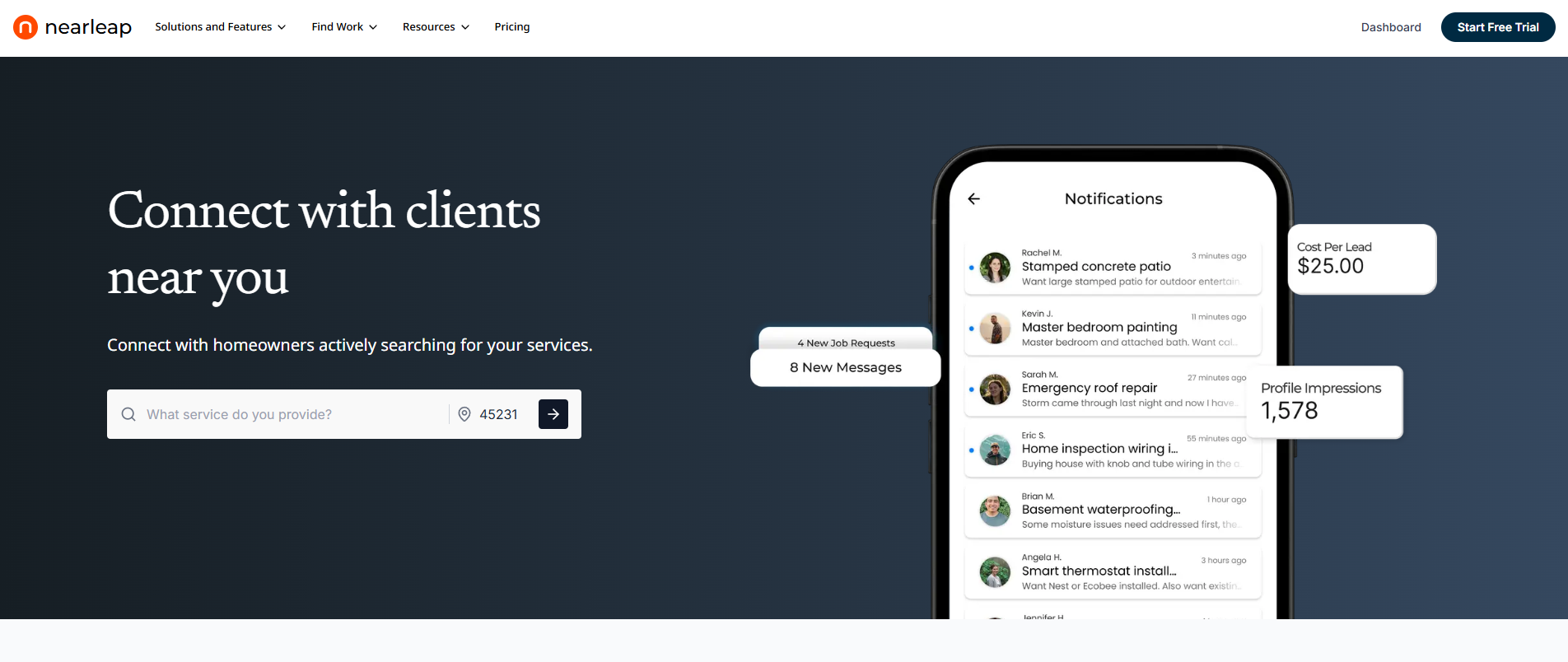
Nearleap approaches client management differently than traditional field service tools. Instead of requiring you to manually enter client information, client management profiles are automatically created every time a lead is delivered through the platform. You can create a free profile and preview leads before paying, building your client database from day one.
This means your client database builds itself as you receive leads. Every interaction, from the initial inquiry through booking and job completion, is tracked automatically. When a homeowner contacts you again months or years later, you have their complete history at your fingertips.
The client management system works within Nearleap's broader platform:
- Pro ($99/mo): 5 dedicated leads included, $20 per additional lead, $20 per booking. Automatic client profile creation, pipeline tracking on a kanban board.
- Business ($249/mo): Unlimited leads with zero per-lead charges, $15 per booking. Verified badge, client notes and history across all interactions.
- Enterprise ($499/mo): Unlimited leads with zero per-lead charges, $10 per booking. Auto-responses for immediate client engagement, full client management database.
The CRM pipeline tracks each client's journey through stages: new, contacted, estimate sent, accepted, in-progress, completed. This gives you a clear view of where every client relationship stands. Lead preferences filter incoming leads by service type and geography, so your client base aligns with your actual service capabilities.
The instant booking page lets existing and new clients schedule directly, creating a seamless experience that builds trust. Flat booking fees ($10-$20) keep costs predictable. Declined leads enter an opportunity pool for other pros, but your client profiles remain in your database for future reference.
For home service businesses, the auto-response feature (Enterprise tier) is a significant client management advantage. When a new or returning client reaches out, they receive an immediate professional response. This sets expectations and demonstrates responsiveness before you've even seen the notification.
Pros:
- Free profile with lead previews before paying
- Unlimited lead plans available (Business and Enterprise)
- Client profiles created automatically from leads
- Complete interaction history without manual data entry
- Pipeline tracking shows status of every client relationship
- Instant booking creates seamless client experience
- Auto-responses demonstrate professionalism instantly
Cons:
- Focused on lead-to-client management (no invoicing or scheduling)
- Client database grows through Nearleap leads (manual entry possible but limited)
- Subscription required for full lead access (free preview available)
Best for: Home service businesses that want their client database to grow automatically as they receive leads. Start free and upgrade when ready. Ideal for businesses currently tracking clients in spreadsheets or not at all.
#2. Jobber
Jobber provides the most comprehensive client management features for home service businesses at a reasonable price. The client hub stores complete histories including past jobs, quotes, invoices, notes, and communication logs.
Starting at $49/mo (Lite) and $129/mo (Core), Jobber also includes a client portal where homeowners can view job details, approve quotes, and make payments online. This self-service approach is increasingly expected by consumers.
Pros:
- Complete client history with jobs, quotes, invoices, and notes
- Client portal for self-service access
- Automated follow-up emails and review requests
- Client tagging and segmentation
- Professional communication templates
Cons:
- No lead generation built in
- Full client management requires Core plan ($129/mo)
- Manual data entry for clients not from Jobber's systems
- Some features have a learning curve
Best for: Home service businesses with 2-15 employees that want comprehensive client management alongside scheduling, quoting, and invoicing. The client portal feature sets Jobber apart for businesses wanting a professional customer experience.
#3. Housecall Pro
Housecall Pro emphasizes client communication within its operations platform. Automated text and email updates keep homeowners informed throughout the service process, from technician dispatch to job completion.
Starting at approximately $65/mo, the platform includes client management with service history, marketing automation for re-engagement campaigns, and automated review requests that build your online reputation.
Pros:
- Automated client communication (dispatch notifications, completion updates)
- Marketing automation for re-engagement campaigns
- Automated review requests post-service
- Client history with complete service records
- Two-way texting with clients
Cons:
- Limited lead generation capabilities
- Pricing increases with team size
- Client management is part of a larger platform (can be complex for simple needs)
- Some automation features require higher tier plans
Best for: Home service businesses that want automated client communication throughout the service experience. The re-engagement campaigns are particularly valuable for maintenance-based services like HVAC, pest control, and cleaning.
#4. ServiceTitan
ServiceTitan offers the most advanced client management capabilities for large home service operations. The platform tracks every client touchpoint from the first phone call through years of service history, including call recordings, technician notes, and equipment installed.
Custom pricing starts at $250+/mo. The membership and service agreement features are particularly strong for businesses that want to convert one-time clients into recurring revenue through maintenance plans.
Pros:
- Most detailed client records in the industry
- Call recording and tracking linked to client profiles
- Membership management for recurring service agreements
- Marketing campaign management with ROI tracking
- Equipment tracking per client property
Cons:
- Very expensive for small operations
- Complex implementation and training
- Long-term contract commitment
- Feature depth creates information overload for simple businesses
Best for: Large home service companies (10+ employees) that want enterprise-grade client management with membership billing, equipment tracking, and marketing attribution.
#5. Workiz
Workiz approaches client management through its communication-first platform. The built-in phone system logs every call and associates it with client records. SMS communication, dispatch notifications, and service updates create a complete communication trail per client.
Starting at approximately $65/mo, Workiz is designed for high-volume service businesses that handle many daily client interactions.
Pros:
- Built-in phone system with call logging per client
- Complete communication history (calls, texts, emails)
- Integration with major lead platforms
- Dispatch notifications keep clients informed
- Client-linked inventory and parts tracking
Cons:
- Interface can feel cluttered
- No lead generation built in
- Advanced features require higher pricing tiers
- Smaller user community for peer support
Best for: Home service businesses with high call volumes that need every client interaction tracked automatically. Strongest for service dispatch operations.
#6. ServiceM8
ServiceM8 is a simpler, more affordable client management option popular with solo operators and very small home service teams. Starting at approximately $29/mo, it covers client records, job management, quoting, and invoicing without the complexity of larger platforms.
The platform is designed for ease of use on mobile devices, recognizing that most home service professionals manage their business from their phone rather than a desktop.
Pros:
- Simple and affordable starting point
- Mobile-first design for field use
- Client records with job history and notes
- Basic quoting and invoicing
- Photo documentation linked to client jobs
Cons:
- Limited features compared to larger platforms
- No lead generation capabilities
- Basic reporting and analytics
- Less scalable for growing teams
Best for: Solo home service operators and very small teams (1-3 people) who want simple, affordable client management without the complexity of enterprise platforms.
How We Ranked These
We evaluated client management apps based on criteria specific to home service business relationships.
Automatic profile creation assessed whether client records are built automatically through platform interactions or require manual data entry. Automated creation scored highest because busy contractors rarely have time for manual data entry. Free entry points scored a bonus.
History depth evaluated what client information is tracked: service history, communication logs, payment records, notes, and equipment/property details.
Re-engagement tools measured features that help turn one-time clients into repeat customers: automated follow-ups, maintenance reminders, and marketing campaigns.
Ease of access considered how quickly a technician in the field can pull up a client's complete history on their phone. Mobile-friendly interfaces scored highest.
Integration with lead sources evaluated how well the app connects with lead generation platforms to automatically create new client records.
Frequently Asked Questions
What is the best client management app for home services?
For automatic client profile building combined with lead generation, Nearleap offers a unique approach with a free profile to start and plans from $99-$499/mo. Unlimited lead plans are available for scaling. For comprehensive standalone client management, Jobber ($49-$249/mo) provides the deepest feature set. The right choice depends on whether you need help finding clients (Nearleap) or managing the ones you already have (Jobber).
How do home service businesses keep track of clients?
The most effective approach uses a dedicated client management app that automatically logs interactions. Key information to track includes: contact details, property address, service history, communication logs, notes from technicians, equipment installed, and follow-up dates. Avoid spreadsheets and paper systems, which become unmanageable as your client base grows.
Do I need client management software if I'm a solo operator?
Yes, even solo operators benefit from organized client tracking. When you serve 50+ unique clients per year, remembering every conversation, every property detail, and every follow-up becomes impossible. A simple tool like ServiceM8 ($29/mo) or Nearleap (free profile to start, $99/mo with leads included) provides structure without overwhelming complexity.
How can client management software increase revenue?
Client management software increases revenue through three main channels: reducing lost leads (nothing falls through the cracks), enabling systematic follow-ups (maintenance reminders, seasonal offers), and building referral potential (happy clients with great service experiences refer friends). Businesses using client management tools report 15-30% higher customer retention rates than those relying on manual tracking.
Related reading: