
Best Lead Management Software for Small Businesses
Stop losing leads. Compare the best lead management tools for small service businesses by features, pricing, and ease of use.
Generating leads is only half the battle. If you can't track, organize, and follow up on those leads systematically, you're leaving money on the table. Studies show that 48% of small businesses never follow up on a lead after the first contact, and 80% of sales require at least five follow-ups.
Lead management software organizes your sales pipeline, automates follow-ups, and ensures no opportunity slips through the cracks. This guide covers the best options for small businesses in 2026, with a focus on home service companies. Several platforms now let you start free.
Quick Comparison Table
| Platform | Best For | Pricing | Lead Gen Built In | Pipeline View | Rating |
|---|---|---|---|---|---|
| Nearleap | Free lead gen + management | Free to start, $99-$499/mo | Yes (dedicated) | Kanban | 4.8/5 |
| HubSpot CRM | General small business | Free-$800+/mo | No (marketing hub extra) | List + Board | 4.5/5 |
| Pipedrive | Sales-focused teams | $14-$99/user/mo | No | Kanban | 4.4/5 |
| Jobber | Service business leads | $49-$249/mo | No | List | 4.3/5 |
| Freshsales | Budget CRM | $9-$59/user/mo | No | Kanban | 4.2/5 |
| Zoho CRM | Feature-rich affordable | Free-$52/user/mo | No | Multiple | 4.1/5 |
#1. Nearleap
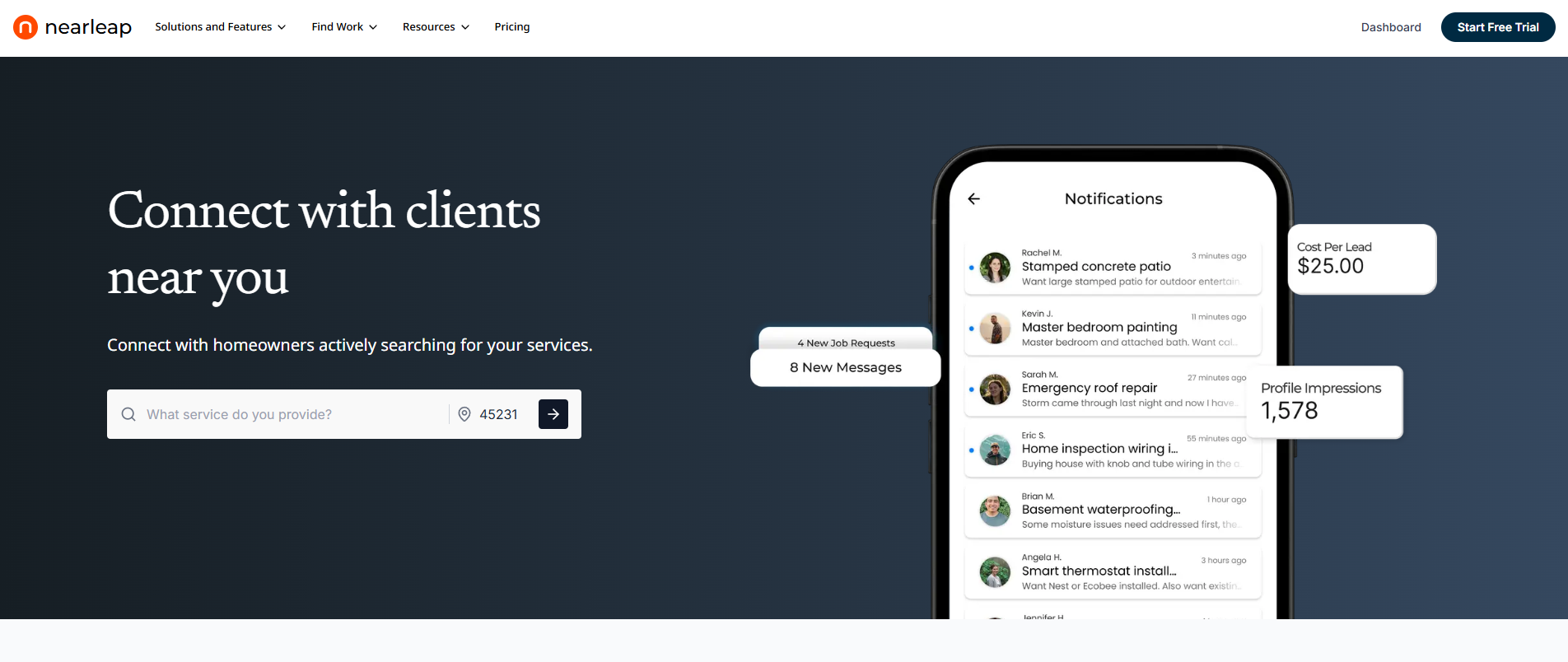
Most lead management tools ask you to bring your own leads and then help you organize them. Nearleap flips this model by generating dedicated leads AND providing the pipeline management to convert them. You can create a free profile and preview leads before paying, making it the best free lead generation tool with built-in management for small businesses.
For small businesses, this solves two problems with one subscription. You don't need to figure out lead generation separately, buy a CRM separately, and then integrate the two. Nearleap handles both.
The lead management system uses a visual kanban board with pipeline stages:
- New: Lead just arrived, uncontacted
- Contacted: You've made initial outreach
- Estimate Sent: Quote or proposal delivered
- Accepted: Customer agreed to move forward
- In-Progress: Job underway
- Completed: Job finished
Each lead card shows contact information, service requested, geographic area, and all notes. Client management profiles build automatically over time, creating a customer database without manual data entry.
Three tiers serve different small business sizes:
- Pro ($99/mo): 5 dedicated leads, $20 per additional lead, $20 per booking. Kanban pipeline, client profiles, instant booking page.
- Business ($249/mo): Unlimited leads with zero per-lead charges, $15 per booking. Verified badge, enhanced pipeline management.
- Enterprise ($499/mo): Unlimited leads with zero per-lead charges, $10 per booking. Auto-responses for instant engagement, full client management.
Lead preferences let you filter incoming leads by service type and geography. Leads you decline enter an opportunity pool rather than being wasted. Enterprise auto-responses engage new leads within seconds, which is critical since research shows that responding within 5 minutes increases conversion rates by 8x.
Every lead is phone-verified through Twilio before delivery. The 7-day free trial lets you test the complete system risk-free, or start with a free profile to preview leads first.
Pros:
- Free profile with lead previews before paying
- Unlimited lead plans available (Business and Enterprise)
- Lead generation and management in one platform
- Visual kanban pipeline designed for service businesses
- Automatic client profile creation
- Phone-verified leads reduce wasted effort
- Instant booking page for direct customer scheduling
- No separate CRM subscription needed
Cons:
- Focused on lead and client management (no invoicing or accounting)
- Best value for businesses that need both leads and management
- Subscription required for full lead access (free preview available)
Best for: Small service businesses that need help finding AND managing leads. Start free and upgrade when ready. Eliminates the complexity of connecting separate lead generation and CRM tools.
#2. HubSpot CRM
HubSpot offers the most popular free CRM for small businesses, with lead management features that scale from solo operators to growing teams. The free tier includes contact management, deal tracking, email integration, and basic reporting.
Paid plans start at $20/mo (Starter) and go up to $800+/mo (Professional). The free CRM is genuinely useful, but advanced features like marketing automation, lead scoring, and custom reporting require paid upgrades.
Pros:
- Generous free tier with core lead management features
- Email tracking and notification when leads open emails
- Meeting scheduling tool included
- Extensive integration ecosystem (500+ apps)
- Scales from free to enterprise
Cons:
- Not designed for field service or home service businesses
- Marketing and sales hub add-ons get expensive quickly
- Can feel overwhelming with many features
- No lead generation built in (separate marketing hub)
Best for: Small businesses that want a free starting point for lead management with room to grow. Best for businesses with computer-based sales processes rather than field service work.
#3. Pipedrive
Pipedrive is a sales-focused CRM built around a visual pipeline. The kanban-style deal board makes it easy to see where every lead stands and what action is needed next. The platform is designed to be simple and focused on selling.
Pricing starts at $14/user/mo (Essential) and goes to $99/user/mo (Enterprise). The lower tiers provide excellent lead management for small teams without feature overload.
Pros:
- Intuitive visual pipeline for lead tracking
- Activity-based selling methodology keeps deals moving
- Email integration with templates and tracking
- Simple setup (most teams are productive within a day)
- Affordable per-user pricing
Cons:
- No lead generation capabilities
- Not designed for service businesses specifically
- Reporting limited on lower tiers
- Per-user pricing adds up for teams
Best for: Small businesses with a defined sales process that want a simple, visual way to track leads through stages. Best for businesses that sell through conversations rather than field service.
#4. Jobber
Jobber includes lead management as part of its broader field service platform. New leads enter the system and flow through quoting, scheduling, job execution, and invoicing. The lead tracking is integrated with operational management.
Starting at $49/mo (Lite) and $129/mo (Core), Jobber's lead management is part of a complete business platform rather than a standalone CRM.
Pros:
- Lead management connected to complete job workflow
- Quote creation and online approval from leads
- Automated follow-ups on outstanding quotes
- Client portal for lead self-service
- Strong for service businesses specifically
Cons:
- No lead generation built in
- Full lead management requires Core plan ($129/mo)
- More complex than standalone lead management tools
- Learning curve for full platform setup
Best for: Small service businesses that want lead management integrated with scheduling, quoting, and invoicing. Strongest when leads come from external sources and need to be managed through the complete job lifecycle.
#5. Freshsales
Freshsales (by Freshworks) is an affordable CRM with strong lead management features including lead scoring, pipeline management, and built-in phone and email. The AI assistant helps prioritize leads based on engagement signals.
Pricing starts at $9/user/mo (Growth) and goes to $59/user/mo (Enterprise). The Growth plan includes all essential lead management features at a competitive price.
Pros:
- Very affordable starting price ($9/user/mo)
- Built-in phone system for calling leads directly
- AI lead scoring to prioritize hot leads
- Visual pipeline with deal management
- Workflow automation on all plans
Cons:
- Not designed for field service or home service businesses
- Integration ecosystem smaller than HubSpot
- Some features feel underdeveloped compared to competitors
- Customer support can be slow
Best for: Budget-conscious small businesses that want lead management with built-in communication tools. The AI lead scoring is helpful for businesses with high lead volumes that need to prioritize outreach.
#6. Zoho CRM
Zoho CRM offers one of the most feature-rich lead management tools at an affordable price. The free plan covers 3 users with basic lead and contact management. Paid plans start at $14/user/mo and include workflow automation, reporting, and integrations.
The platform includes lead capture forms, assignment rules, scoring, and nurturing workflows. Zoho's broader ecosystem (invoicing, marketing, support) provides expansion options as your business grows.
Pros:
- Free plan for up to 3 users
- Extensive feature set at affordable pricing
- Lead capture forms and web-to-lead integration
- Workflow automation for lead assignment and follow-up
- Part of broader Zoho ecosystem for business tools
Cons:
- Interface can feel dated compared to modern CRM tools
- Steep learning curve for full feature utilization
- Customer support responsiveness varies
- Not designed for field service businesses
Best for: Small businesses that want maximum features at minimum cost. The free plan makes it accessible for startups, and the broader Zoho ecosystem provides room to add invoicing, marketing, and support tools.
How We Ranked These
We evaluated lead management software based on criteria most important to small businesses.
Lead-to-revenue tracking assessed how well each platform follows a lead from initial contact through revenue generation. Platforms covering the complete journey scored highest.
Ease of adoption measured how quickly a small business can start managing leads effectively. Complex implementations scored lower than intuitive, quick-setup platforms. Free entry points scored a bonus.
Lead generation integration evaluated whether the platform generates leads or only manages them. Platforms solving both problems scored highest for small businesses.
Affordability considered total cost for a typical small business (1-5 users) including any required add-ons for essential lead management features.
Mobile capability assessed the mobile app experience, since many small business owners manage leads while on the go.
Frequently Asked Questions
What is the best lead management software for small businesses?
For service businesses that need both lead generation and management, Nearleap (free to start, $99-$499/mo) is the most complete solution with unlimited lead plans available. For businesses that already have leads and just need management, HubSpot CRM (free tier) is the best starting point. Pipedrive ($14/user/mo) is the best pure sales pipeline tool. The right choice depends on whether you need help finding leads or just organizing them.
Is free lead management software good enough?
Free tools like HubSpot CRM and Zoho CRM cover basic lead tracking, contact management, and simple pipelines. They're sufficient for businesses managing fewer than 100 leads per month with simple sales processes. Nearleap's free profile lets you preview leads and test the CRM pipeline. However, limitations in automation, reporting, and integration typically push growing businesses to paid plans within 6-12 months.
How do I choose between a CRM and a lead management tool?
Lead management is a subset of CRM. If you only need to track leads through a sales pipeline, a focused tool like Pipedrive works well. If you also need client management, communication tracking, and post-sale relationship management, a full CRM like HubSpot or Nearleap is a better fit. For service businesses, platforms like Nearleap and Jobber combine lead management with industry-specific workflows.
What features should small business lead management software include?
Essential features include: visual pipeline (kanban board), contact management with notes and history, automated follow-up reminders, mobile app for on-the-go access, and basic reporting (leads by source, close rate, pipeline value). Nice-to-have features include: lead scoring, email integration, phone system, and marketing automation. Nearleap uniquely adds lead generation to this feature set, with a free profile to start.
Related reading: