
Present a painting job as clear options your customer can choose from.
Edit the packages, what each one includes, the prices, and the add-ons. The customer view updates as you go.
Example names, address and prices are for illustration only, not a cost guide.
Example quote. Your edits save on this device.
Customer and project
Who this quote is for, and what it covers.
Packages
3 complete versions of the work. Your customer accepts one.
Package 1: Essential
Optional
Add to Essential
Package 2: Complete
Optional
Add to Complete
Package 3: Premium
Optional
Add to Premium
Optional add-ons
Let your customer upgrade the quote themselves.
Offer an add-on
Note and terms
A short personal note reads better than a wall of fine print.
Your business
How your business appears on the quote.
Hannah Lindqvist
Your quote is ready.
3 packages · Complete $6,890 · 2 add-ons offered
Complete · Recommended · +2 add-ons
$6,890
How it works
01
Build the quote here, free
Change the services, prices and optional add-ons, and preview exactly what your customer will see. No account needed: your draft stays on this device.
02
Create an account to send it
Send it by email, copy a private link, or text it from your phone. The quote you built comes with you, and accounts start with a 14-day free trial, no card needed.
03
Your customer decides
They open a private quote page on any phone, choose any optional add-ons, and accept or decline. You see each quote as sent, viewed, accepted or declined.
What a painting proposal is
A proposal is how you present the work: what you'll do, how you'll treat the home, the terms, and often more than one way to do the job.
- Estimate
- Answers what one scope of work costs. Usually a single price for a single plan, and the customer's choice is yes or no.
- Proposal
- Presents the job so the customer can decide how far to take it: two or three complete options, a clear recommendation, extras they can add, and one place to accept.
- In Nearleap
- Both are the same quote. A proposal is a quote with packages, so you can start from one price and offer packages later, or the other way round.
Clear packages are easier to compare
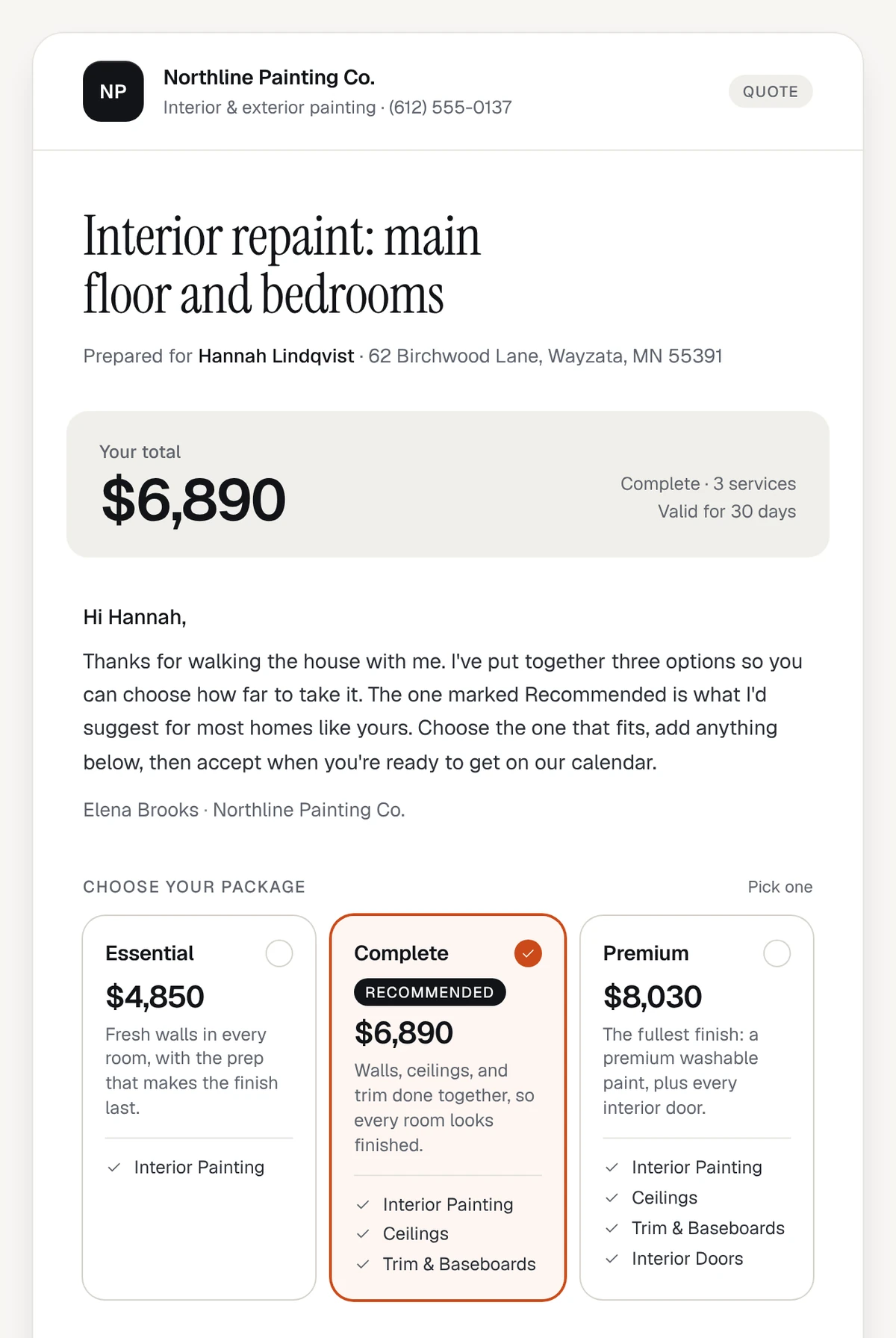
The example above is built this way. Change a package and see it from your customer's side.
01
Each package is the whole job
Every package lists its complete scope, so the customer compares Essential, Complete, and Premium directly instead of working out what changes between them.
02
Real differences in scope
Make each step up something the customer can see: ceilings and trim, every interior door, a better paint line. The same work at a higher price isn't a choice.
03
One clear recommendation
Mark the package you'd suggest for most homes like this one. The customer still chooses; the recommendation tells them where you stand.
04
Two or three, not more
Nearleap allows two or three packages: enough to compare, few enough to decide. The customer accepts exactly one.
How optional add-ons work
Add-ons are extras the customer can add to whichever package they choose, like an accent wall or another room. They're priced separately and shared by every package, and the total updates as the customer taps them.
Keep add-ons for work that is genuinely optional. Anything that defines a package, like ceilings in Complete, belongs inside that package.
From this page to a private customer quote
Everything you change here stays on this device until you create an account. Your packages, the recommendation, add-ons, wording, and prices come with you into your account exactly as you left them.
From there, send it by email, copy a private link, or text it from your phone. Your customer opens their own quote page on any phone, chooses one package and any add-ons, and accepts or declines. You see when it has been viewed and answered.